무료 온라인 포토샵 프로그램을 소개해드리겠습니다.
1. GIMP

Linux, Windows, macOS 등에서 작동하는 GIMP는 무료 오픈 소스 포토샵 대안입니다.
GIMP는 Photoshop과 비슷한 기능을 제공합니다.
GIMP - Downloads
The official download page for all things GIMP! Please only use the official binaries provided here unless you really, really know what you’re doing (it’s the only way to be safe). We try to provide binaries in-time with regular releases, but may occa
www.gimp.org
2. Paint.NET
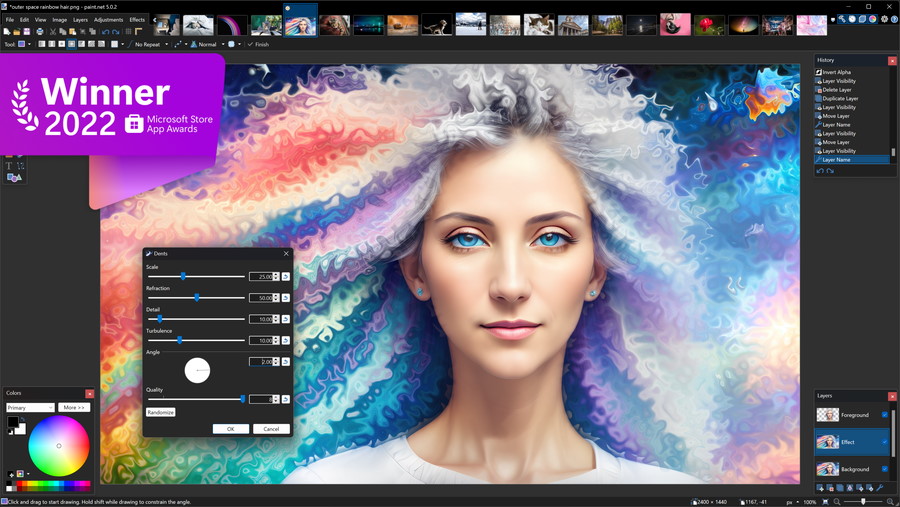
Windows 전용 프로그램인 Paint.NET은 GIMP보다 사용이 더 간단합니다.
Paint.NET은 Photoshop보다는 기능이 덜하지만, 초보자나 간단한 작업에 적합합니다.
Paint.NET - Download
System Requirements Windows 11 or Windows 10 (version 1809 or newer) or Windows Server 2019 or Windows Server 2022 64-bit CPU (Intel/AMD x64 or ARM64) Optional: A pen or drawing tablet that supports Windows Ink Recommended: A CPU that supports AVX2 Recomme
www.getpaint.net
3. Photopea
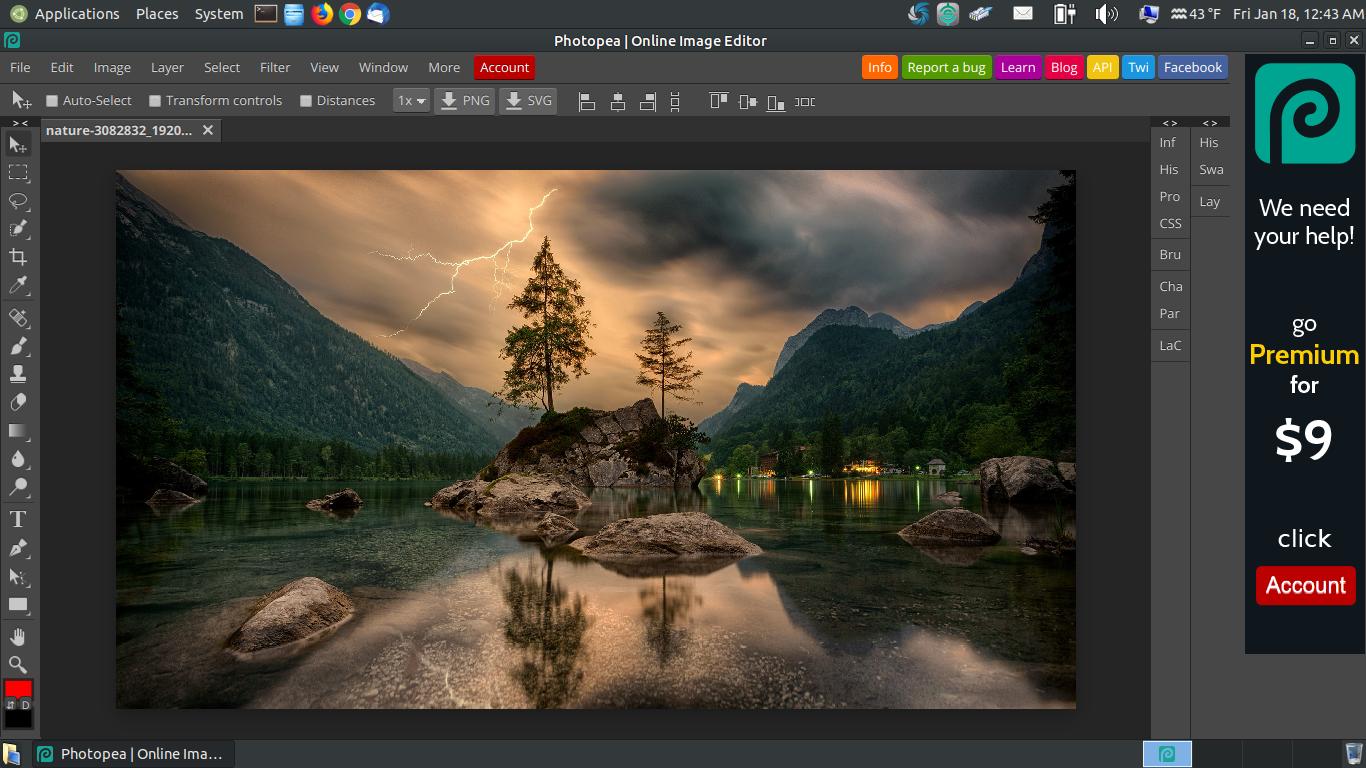
Photopea는 브라우저에서 실행되는 무료 온라인 포토샵 프로그램입니다.
Photopea는 Photoshop과 비슷한 인터페이스와 기능을 제공합니다.
Photopea | Online Photo Editor
✕ Photopea: advanced photo editor Free online photo editor supporting PSD, XCF, Sketch, XD and CDR formats. (Adobe Photoshop, GIMP, Sketch App, Adobe XD and CorelDRAW). Create a new image or open existing files from your computer. Save your work as PSD (
www.photopea.com
이 외에도 많은 무료 포토샵 대안 프로그램이 있으니,
관심 있는 프로그램을 찾아보시는 것도 좋습니다.
'IT > 프로그램' 카테고리의 다른 글
| 코딩 초보를 위한 프로그램 추천 VsCode 다운로드하는 방법 (0) | 2023.04.25 |
|---|---|
| 2023 어도비 프리미어 프로 무료 다운로드 및 크랙 설치 방법 (0) | 2023.04.25 |
| 2023 어도비 일러스트 무료 다운로드 및 영구 정품 인증 크랙 설치 방법 (0) | 2023.04.25 |
| 2023 어도비 포토샵 무료 다운로드 및 영구 정품 인증 크랙 설치 방법 (0) | 2023.04.15 |
| 포토샵 대신에 쓸 수 있는 무료 프로그램 1 포토스케이프 (0) | 2023.04.15 |